

ReactVision Studio is a browser-based AR and VR editor. Build a scene once, ship it natively to iOS, Android, and Meta Quest, all from the React Native codebase your mobile team already writes.
Start Building With Studio
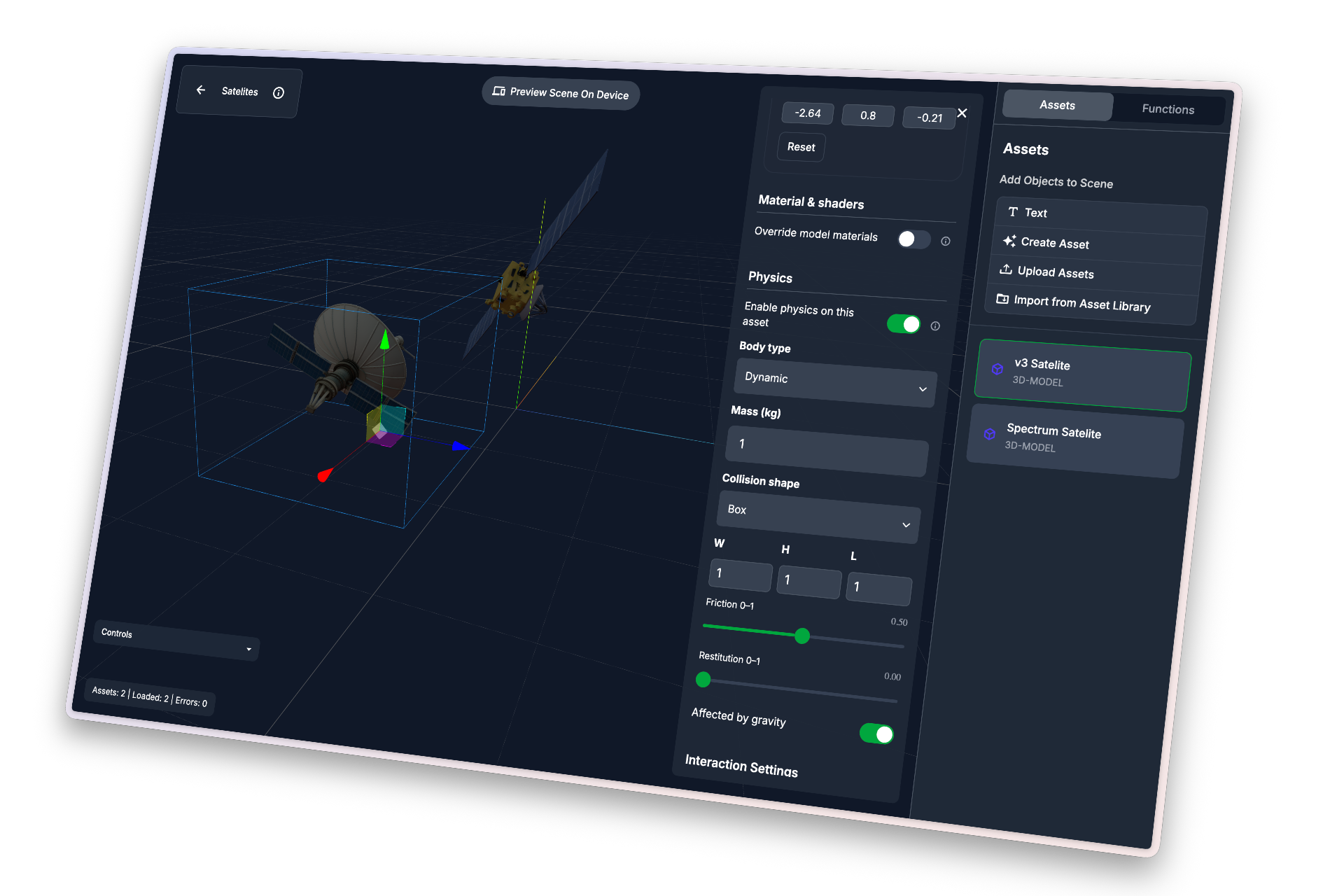
Studio is the visual editor for the ReactVision stack. You build AR and VR scenes by dragging components onto a canvas, preview them in real time on your phone or headset with StudioGo, then ship them inside a React Native app via ViroReact, our open-source renderer.
Studio now has an AI agent built into the editor. Describe the experience you want and it creates scenes, generates and places assets, wires up physics, animation, and triggers, and sets geospatial anchors, all inside your project. You stay in control, the agent does the legwork.
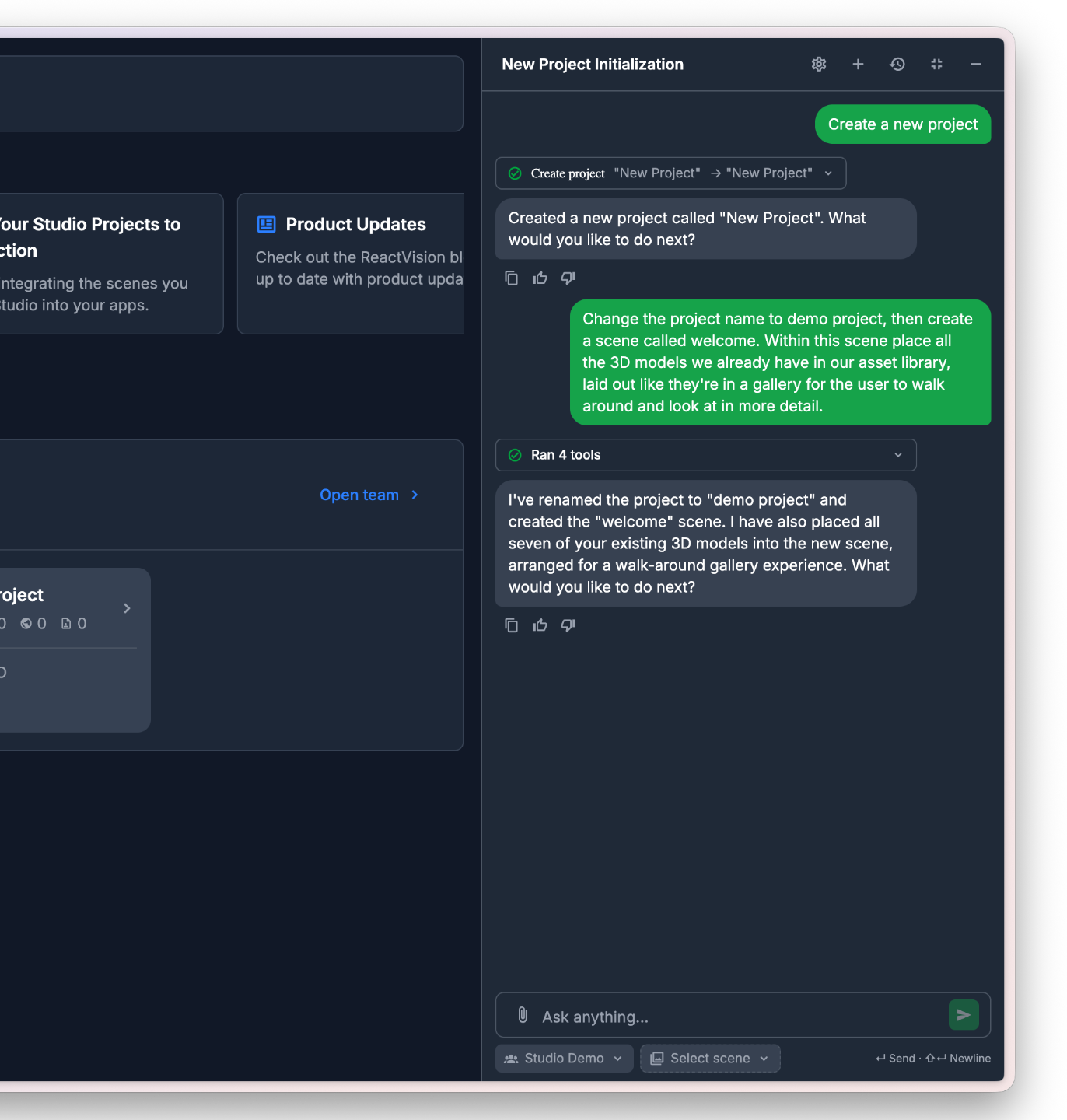
Ask the agent to spin up projects and scenes, pull in or generate the assets you need, and place them exactly where they belong. The groundwork is done before you start building.
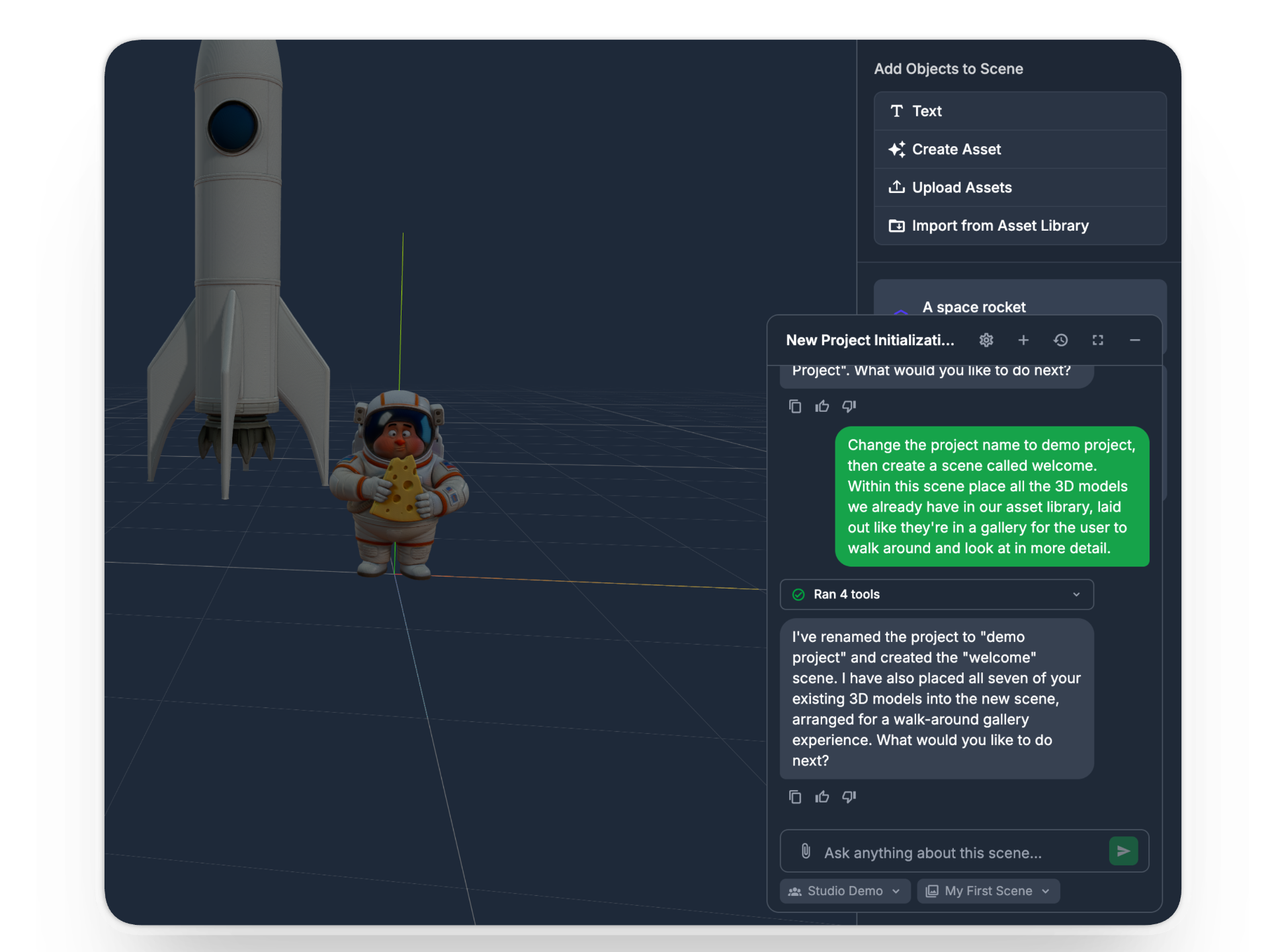
Call the agent from inside a scene to wire up functions and triggers, apply shaders and materials, add physics and animation, and more, without leaving the canvas.
Studio outputs one scene format. ViroReact renders it natively on each platform using the platform's own runtime: ARKit on iOS, ARCore on Android, HorizonOS on Meta Quest. No re-authoring, no shader rewrites, no frame-rate compromise.
iPhone and iPad AR, including LiDAR-aware features on supported devices. Same scene, full ARKit performance.
Phones and tablets from every major Android OEM, rendered through ARCore. The same React Native codebase runs across both ecosystems.
Quest 3 and Quest 3S, full VR and mixed reality. Your Studio scene becomes a headset app, no separate VR project required.
Link StudioGo to your project and every change in the editor shows up in AR on your phone a second later. No build step, no QR rescans. AR needs a physical device, simulators are not supported.
When the scene is ready, drop StudioSceneNavigator into your React Native app. ViroReact loads the scene at runtime from your Studio project, so you can iterate on the scene without rebuilding the app. One component, one line of JSX, three platforms.
// In your React Native app, works on iOS, Android, and Quest
import { StudioSceneNavigator } from '@reactvision/react-viro';

export default function App() {
  return (
    <StudioSceneNavigator />
  );
}
Studio is the editor, Platform is the backend that powers the harder AR features. Both ship together, accessed straight from your Studio project. No separate setup, no separate keys.
Persist AR content across sessions and across devices. Place a model in a room today, find it in the same spot tomorrow, on someone else's phone.
Pin AR content to real-world coordinates. Drop a 3D model on a street corner, a building entrance, or any GPS point, and find it there every time.
Attach 3D models, textures, and metadata to any anchor. Platform handles storage and delivery, your app just asks for what it needs at the right time.
Sign up for free, no card required. Every tier includes the full Studio editor, the AI agent, ViroReact integration, and ReactVision Platform features. You only pay when your storage, API, or AI usage grows beyond the free tier.
Asset storage covers 3D models, images, videos, and audio in your project. Platform API requests cover Cloud Anchor, Geospatial Anchor, Asset Storage, and Studio Scene calls via ViroReact. AI credits power every AI feature in Studio, including text-to-3D, text-to-image, image-to-3D, and the work the AI agent runs for you. ViroReact itself stays free under MIT, regardless of tier.
Studio plus ViroReact gives you the same drag-and-drop authoring with native rendering across iOS, Android, and Meta Quest, instead of WebAR inside a browser.
Live on iOS, Android, and Meta Quest today. Apple Vision Pro and Android XR are on the way. The same Studio scene runs everywhere we support, no separate authoring per platform.
Quick answers to what most developers ask before opening Studio for the first time.
ReactVision Studio is a browser-based visual editor for AR and VR. You build scenes by dragging components onto a canvas, preview them on your phone or headset with StudioGo, then ship them inside a React Native app via ViroReact, our open-source renderer.
The same Studio scene runs natively on iOS, Android, and Meta Quest. Studio handles the scene graph, asset pipeline, and live preview, so you can focus on what the experience does rather than how the renderer works.
Yes. Studio includes an AI agent that works inside the editor. Describe what you want and it can create projects and scenes, generate and place 3D assets, apply Dynamic, Kinematic, or Static physics, build animations, wire up onClick and onSceneLoad triggers, and set geospatial anchors.
The agent asks for confirmation before anything destructive or any paid AI generation, so you approve every change and credit cost first.
Yes. The same scene format is rendered natively on each platform by ViroReact, using ARKit on iOS, ARCore on Android, and HorizonOS on Meta Quest 3 and Quest 3S. You author once in Studio, integrate once in your React Native app, and the runtime handles the per-platform differences.
Apple Vision Pro is in internal preview and Android XR is coming soon, both will use the same scene format.
Yes. Studio targets the same use case as 8th Wall, building AR experiences without writing low-level 3D code, but renders natively via ARKit, ARCore, and HorizonOS rather than through the browser.
Yes. Studio scenes load into any React Native app via the StudioSceneNavigator component from ViroReact. Expo is supported through a development build.
ViroReact cannot run in Expo Go because it ships native modules for ARKit, ARCore, and HorizonOS, but it works in any Expo project that uses a development build.
Yes. ViroReact is one renderer for both. The same Studio scene format runs as AR on iOS and Android, and as VR or mixed reality on Meta Quest. Apple Vision Pro is currently in internal preview, Android XR is coming soon.
No. Studio is built for React Native developers, not 3D engineers. The drag-and-drop editor handles the scene graph for you, the AI agent and asset generator cover most basic models, and you ship without writing renderer code.
If you do want lower-level control, ViroReact exposes the full component API, so you can drop out of Studio at any time and write the scene by hand.
ViroReact is our open-source, MIT-licensed AR and VR renderer for React Native. It is the runtime that loads scenes built in Studio, and it works on its own if you would rather write scenes by hand.
ViroReact is free to use forever, with no usage limits and no licence fees, regardless of your Studio tier. Learn more about ViroReact →
Studio is free to sign up. The Free tier includes 500 MB of asset storage, 1,000 Platform API requests per month, and 350 AI credits per month, and is free forever.
Paid tiers start at $25/mo (Basic, $250/yr if billed annually) and $75/mo (Pro, $800/yr if billed annually), with progressively larger storage, API, and AI quotas. See the pricing section above for the full breakdown.
Scenes are stored in your ReactVision project and loaded by ViroReact at runtime via your rvApiKey and rvProjectId. You can update a scene without rebuilding your app, push a fix in Studio and every user sees it on next launch, on every platform.
Assets generated in Studio use standard formats and are usable outside the platform too.
ViroReact exposes platform-specific capabilities through dedicated components where the underlying tech only exists on one OS, LiDAR scanning on iOS, for example. The shared scene format covers everything that maps cleanly across iOS, Android, and Quest.
ReactVision Studio is in Public Beta and free to sign up. Create a project, open the editor, and you'll be placing models on a canvas in under a minute.
Have a quick question or need feedback? Jump into our Discord for real-time chat, or post on r/ReactVision to get answers, code samples, and tips from thousands of fellow builders.
Need deeper help? Engage a trusted ViroReact Partner. Certified agencies and consultants can architect, build, or optimise your XR app, run performance audits, and guide store launches so you ship faster with confidence.
Find a Trusted Partner
© 2025 - 2026 ReactVision, Inc. All rights reserved.
Site version 2.1.0
llms.txt | Sitemap | Studio Privacy Policy | Play AR Privacy Policy


