Test your scenes in the real world,
on a real device.
StudioGo is the free companion app for the ReactVision Editor. Test what you build in the Editor on your phone, record rooms as test environments, and try co-location with several people in the same scene. No native build required.

Three ways to test with StudioGo
Check a scene on device while you build it, test it in the rooms it is for even when you are somewhere else, and try it with everyone who will share it.
Test your Editor creations on a real device
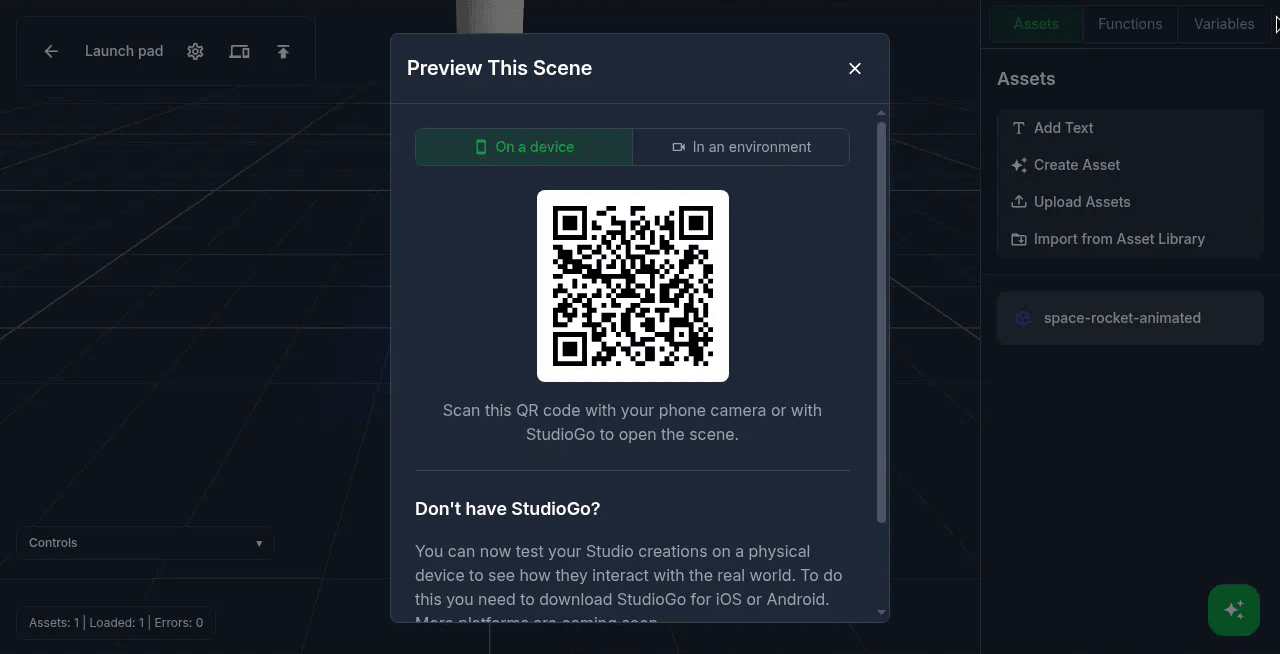
Open any scene from the ReactVision Editor on your phone and see it running in AR, at real scale, in the space you are in. Choose Preview Scene On Device in the Editor, scan the code with StudioGo, and the scene opens. No Xcode, no Android Studio, no waiting on a build.
Change something in the Editor and check it again straight away. Occlusion renders as it will in your app, full-screen mode shows the scene the way users see it, and the camera button saves screenshots to share with the team.
Read more: Meet StudioGo.
Record test environments
Walk a room with StudioGo to record it as a test environment: the camera video plus the device's movement through the space. It is saved to your team's environment library, ready to use again and again.
From then on, render any scene into that room without being there. Start an environment render from the Editor, or ask your coding agent to render its ViroReact code in the room through the ReactVision MCP. Record as many rooms as you like and test one scene across all of them.
Read more: Environment rendering in the Editor and environment testing with your coding agent.
Test co-location within your scenes
Building a shared experience? Open the same scene on several phones in one room and check that everyone sees the content in the same place, and that changes one person makes show up for the others.
It is the quickest way to try a multi-user scene with real people before you ship it, using the same co-location that ViroReact apps use in production.
Read more: Building multi-user experiences with co-location.

From the Editor to your app
- Step 1
Build in the Editor
Design the scene in the browser, by hand or with the Editor's AI agent.
- Step 2
Test with StudioGo
Open it on your phone, record the rooms it is for, and try it with other people.
- Step 3
Ship it in your app
Embed the same scene in your own ViroReact app with StudioSceneNavigator, and keep updating it from the Editor.
StudioGo questions, answered
What is StudioGo?
How do I test an Editor scene on my phone?
What is a test environment?
Can I test a multi-user scene with StudioGo?
Do I need Xcode or Android Studio?
Is StudioGo free?
Get StudioGo
Free on iOS and Android. Open your first Editor scene on your phone in minutes.